
Plan your entire month of marketing with one button press.
Mail · Text · Email · Social · Ads · Drip, on one calendar.
Tap Build Month Plan. Marketing Studio lays the month across channels so producers and CSRs already see what is coming, without rebuilding a spreadsheet every Monday.
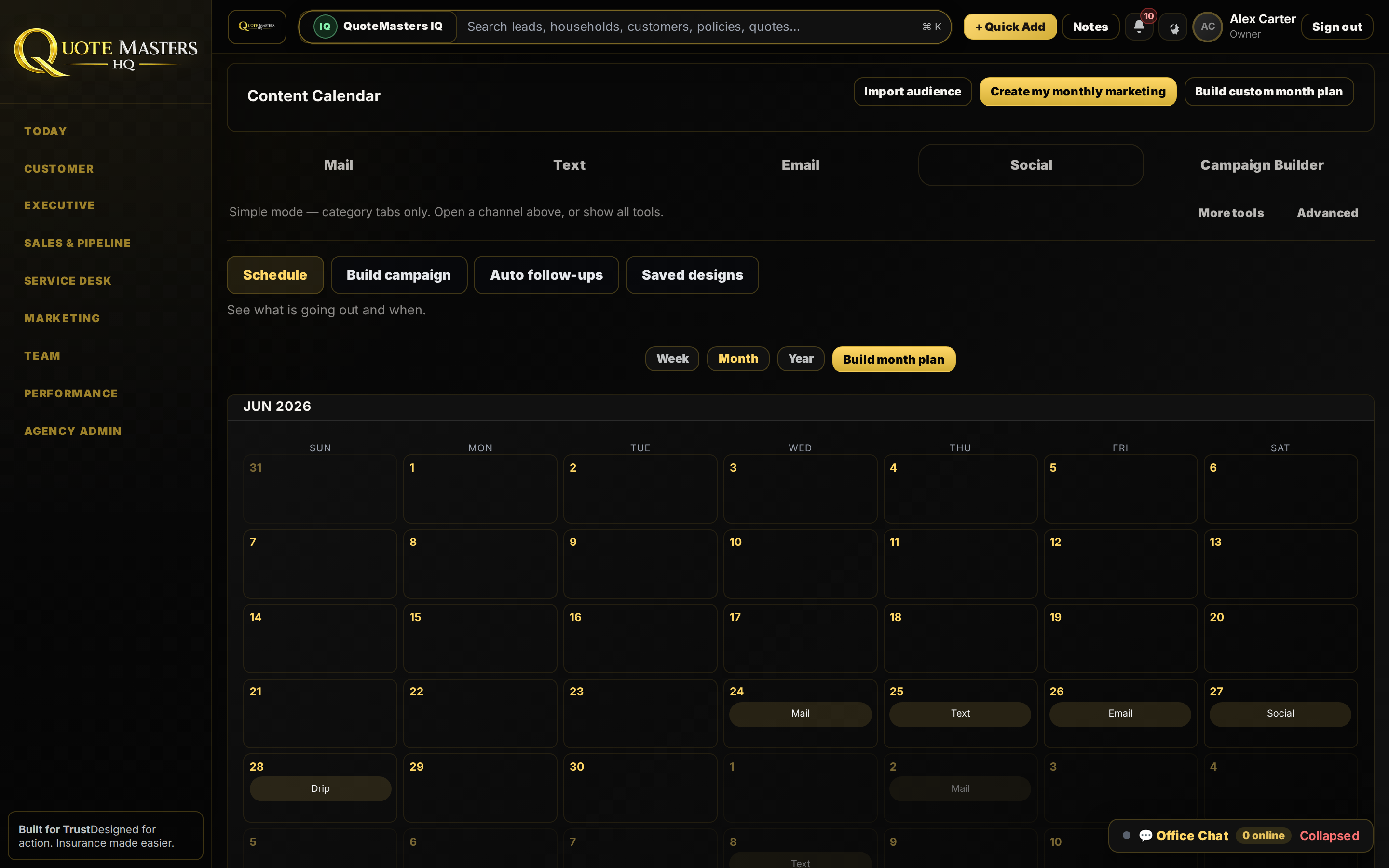
Simple mode: pick what you want to create.
Mailer, text, email, social post, ad, funnel, or a full month plan. One screen. One click. Switch to Advanced when you want full tools and reporting.
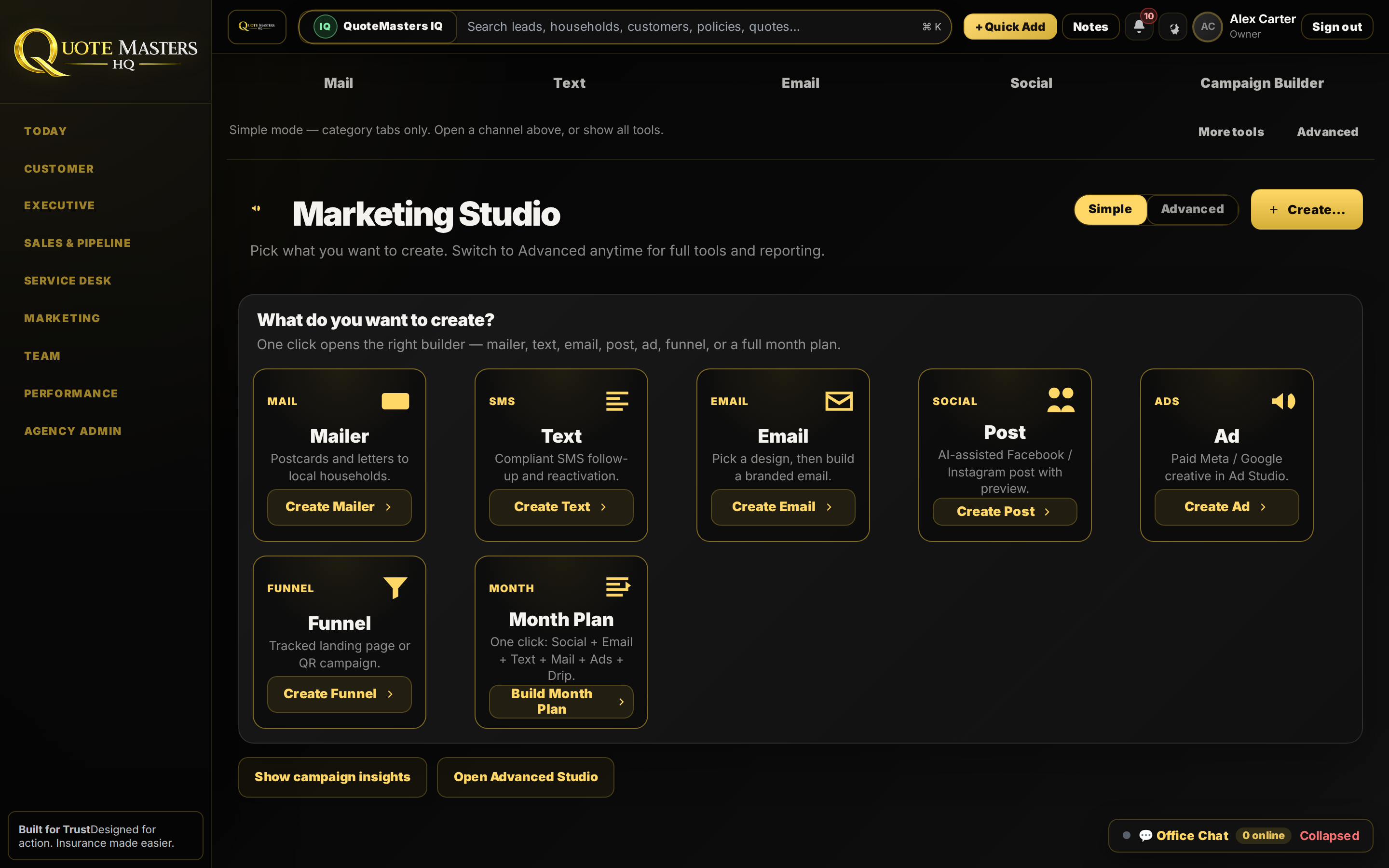
Create my monthly marketing, then see it on the calendar.
The big yellow button is the point. Press it and the month fills: mail, text, email, social, drip, scheduled where the team can see it. Import audience when you need a custom plan; otherwise let the studio build the rhythm.
- Week / Month / Year views so owners and marketers stay aligned
- Channel tabs for Mail, Text, Email, Social, Campaign Builder
- Build month plan again anytime the mix needs a reset
Postcards and letters without a mail-house scavenger hunt.
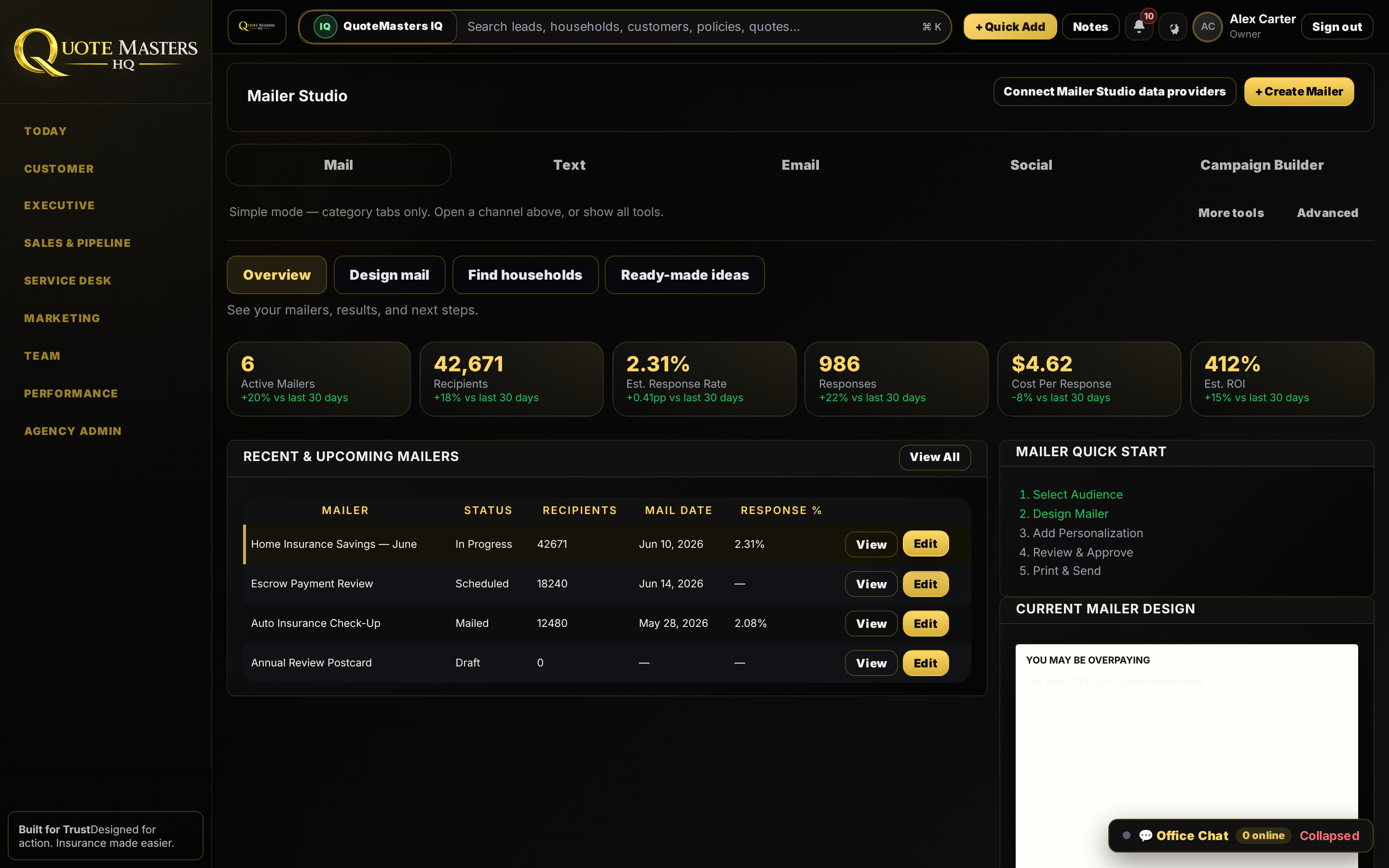
Active mailers, recipients, response rate, cost per response, and ROI on one overview. Design mail, find households, grab ready-made ideas, then print and send.
- Quick start: audience → design → personalize → approve → send
- Live KPI strip so spend is not a mystery
- Recent and upcoming mailers with edit in place
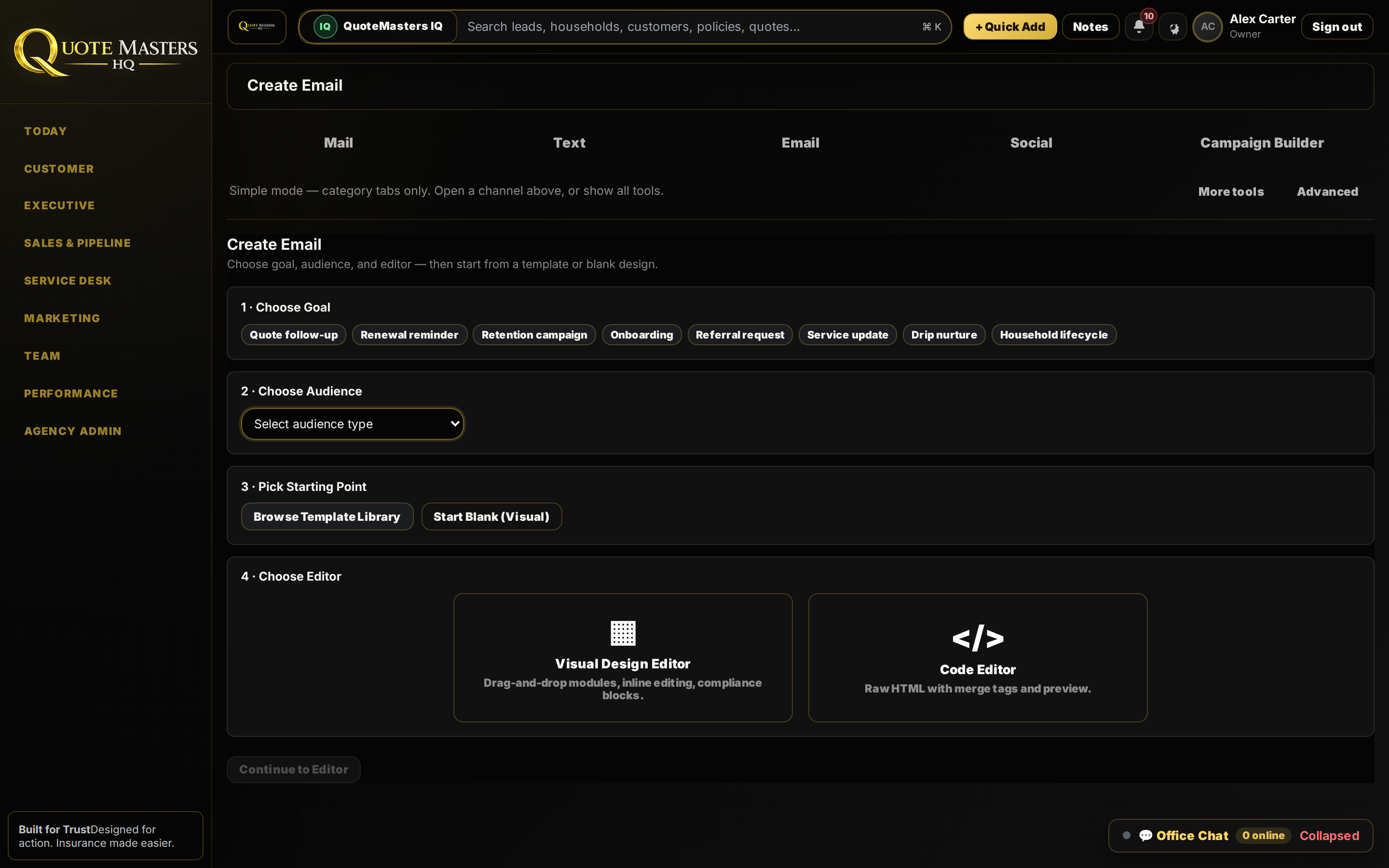
Goal → audience → template → editor. That is the whole launch.
Quote follow-up, renewal reminder, retention, onboarding, referral, drip nurture, pick the goal, pick the audience, browse a template or start blank, then choose visual or code editor.
- Built for insurance follow-up, not generic newsletters
- Visual design editor with compliance-friendly blocks
- Same studio as mail and social, one login
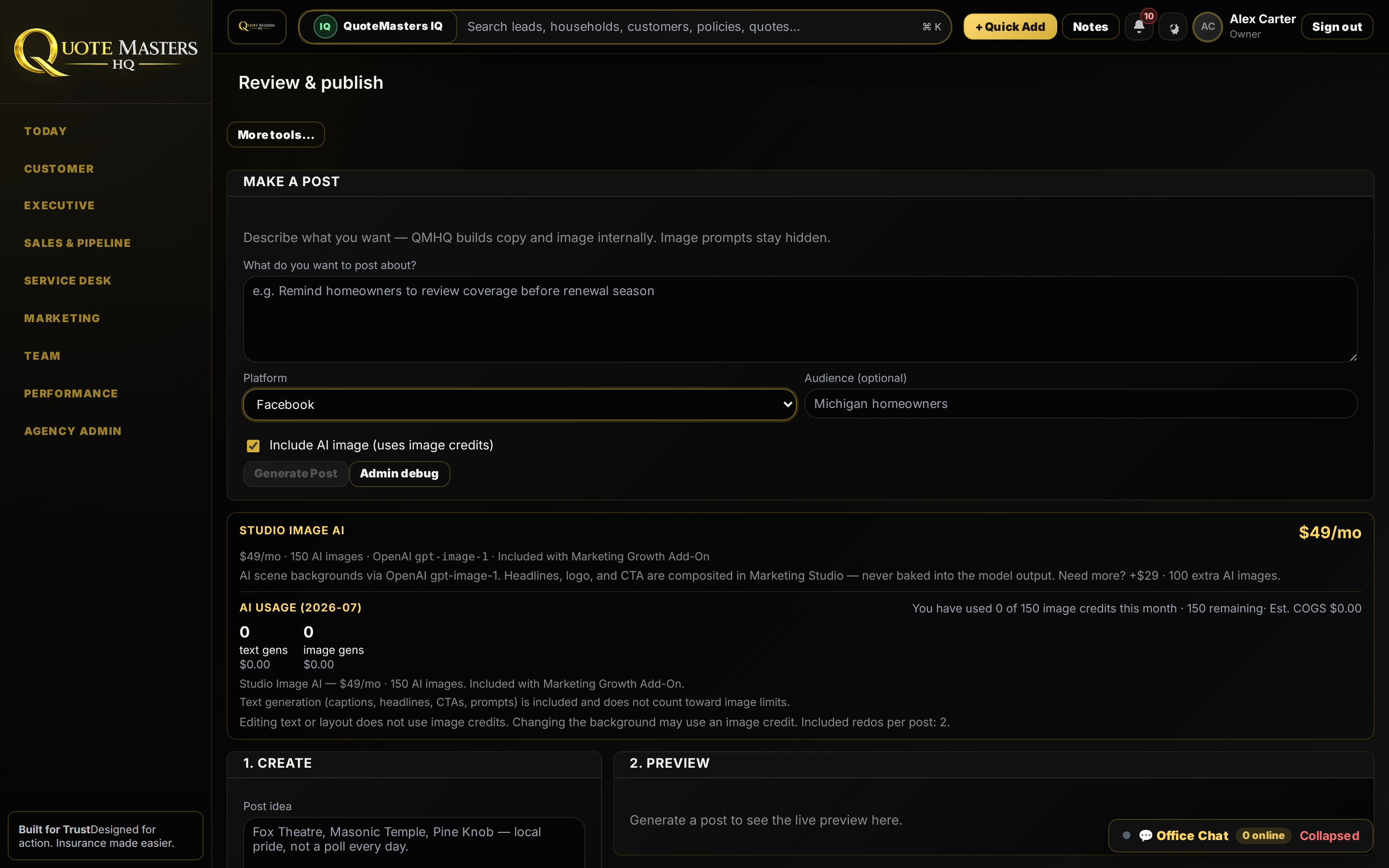
Describe the post. Generate copy and image. Preview. Publish.
AI-assisted Facebook and Instagram posts with platform, audience, and optional AI image, then a live preview before anything goes out. Easy enough for the owner to run without a separate social tool.
- Prompt → generate → preview workflow
- Headlines and CTAs composited cleanly for brand control
- Usage visibility when the Growth add-on is on
Mail, email, social, and drip on one calendar.
Instead of a mail house, an ads account, a CRM campaign tool, and a whiteboard calendar, the studios share one shell next to Quote Desk and Accountability.
Build Month Plan
One click schedules Social + Email + Text + Mail + Ads + Drip across the calendar.
Channel studios
Mailer, Text, Email, Social, Ads, Funnel. Open the builder you need, nothing else.
Source tags into the desk
When interest hits, Quote Desk and Lead Accountability already know which campaign owned it.
Simple ↔ Advanced
Start with one-click create cards. Flip to Advanced for full tools and reporting when ready.
Book a demo: monthly plan in one click
Book a demo and watch Build Month Plan fill the calendar, then open Mailer, Email, and Socials Studio in the same walkthrough.